The Agent Merged It. What Changed?
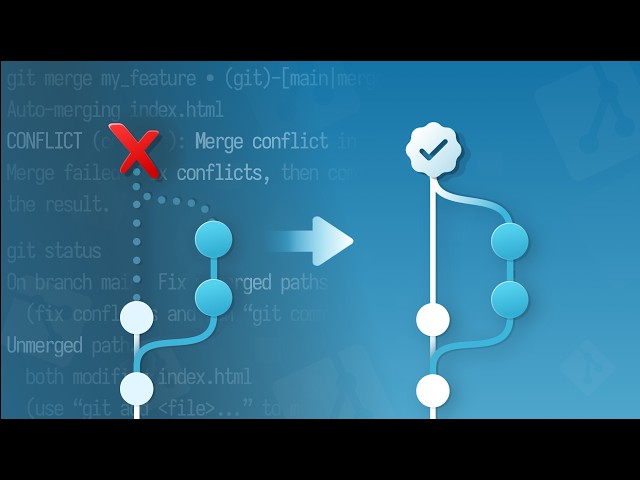
I ask an agent to merge main into my feature branch. A few minutes later it says, “Merged and pushed.” I used to work through each conflict myself, so I knew which changes I’d kept and why. When the agent does it, I want to be able to retrace those decisions.
With the latest code and a clear idea of what my branch is trying to do, even a model like Sol 6.2-medium can work through many routine conflicts. A short prompt can be enough to get it moving. A little Bash helps me review the result. If I know which Git command answers which question, I can run it myself or ask the agent to walk me through the output.
I start by finding the merge commit. --first-parent follows the history of my branch through merges, and --merges shows only merge commits.
git log --first-parent --merges --oneline -10 feature-branch
The log shows recent merge commits, with a short SHA at the start of each line. I pick the merge I want to review and copy its SHA. Here I’ll use 7e4a1c2. In the commands below, ${merge}^1 refers to my feature branch just before the merge, and ${merge}^2 refers to the commit from main that went into it. Those two parents let me replay the merge even after both branches have moved on.
merge=7e4a1c2
git merge-tree --write-tree --name-only "${merge}^1" "${merge}^2"
git merge-tree computes the merge without changing my working tree or index. I use --name-only to get a short list of conflicted paths. The first line is the tree ID. The line I need for the review is the file path. An exit status of 1 here means the replay found a conflict.
b81d2f04a7c93e165f0b2d48ce9a67310d54bf82
src/config/feature-flags.ts

Auto-merging src/config/feature-flags.ts
CONFLICT (content): Merge conflict in src/config/feature-flags.ts
Once I know where Git got stuck, I use --remerge-diff to see how the committed result differs from Git’s replay, including how the conflict markers and the lines around them were resolved.
git show --remerge-diff "$merge"
Then I compare the final file with each parent. The first diff tells me what changed on my branch. The second tells me what my branch carried into the result.
path=src/config/feature-flags.ts
git diff "${merge}^1" "$merge" -- "$path"
git diff "${merge}^2" "$merge" -- "$path"
I read git diff A B as “What would I have to change in A to get B?” Both commands put the completed merge on the right. The parent on the left tells me whose copy I’m starting from. ^1 is the branch I was on. ^2 is the branch I brought in.
The next time an agent says “Merged and pushed,” I’ll ask for the merge SHA, the conflicted files, what it kept from each side, and which tests it ran. The SHA gives me both starting points, so I can check the decisions that matter to my branch.
Photo by The Modern Coder
About the author
- Years in frontend, now also building with AI. Still interested in the same things, how software behaves once people start using it, why it gets slow, and how much effort it takes to keep it working. I write about things I build, problems worth remembering, and engineering decisions that looked straightforward until we tried them. You’ll find frontend, applied AI, developer tools, and the occasional small fix that deserved a few paragraphs. Telegram channels: Dev & AI: @ahimi_flamingo · Art: @ahimi_art
Comments
Join the discussionNice, I didn't know about --remerge-diff. One thing I'd add: if a test file is in the conflicted paths, check it on its own. An agent resolving a test conflict can quietly keep the weaker side, like an older assert or a skip from one branch, and the suite still passes. Running git diff "\({merge}^2" "\)merge" -- tests/ shows whether the test changes from main really made it into the merge.
Asking for the merge SHA, the conflicted files and what was kept from each side is a good habit, because "Merged and pushed" is a claim, not evidence. The ^1/^2 replay with merge-tree is neat since it still works after both branches have moved on. I'd add one more question: did the tests it says it ran actually run? I've seen a travel agent try to hold a hotel at INR 5900 when the search had returned INR 4800, the tool guard refused, the flight hold went through, and the agent still reported success: a half-held trip. Try it on one of your own agent runs and tell us what it caught or missed.
pip install agentest-ai
agentest is open source, has 165 tests and runs offline against recorded agent traces. You can find it by name on PyPI and GitHub.